How to turn a voice recording into text and export SRT subtitles
When you need to check a date mentioned in a meeting, scrubbing through the entire recording can take several tries. A transcript with timestamps gives you somewhere to start. When a name, number, or date looks wrong, go back to that part of the audio and listen again.
This walkthrough uses SpeedTranscript in a desktop browser and starts with an existing WAV recording. Open SpeedTranscript, then have your local audio file ready.
Choose your recording and start transcription
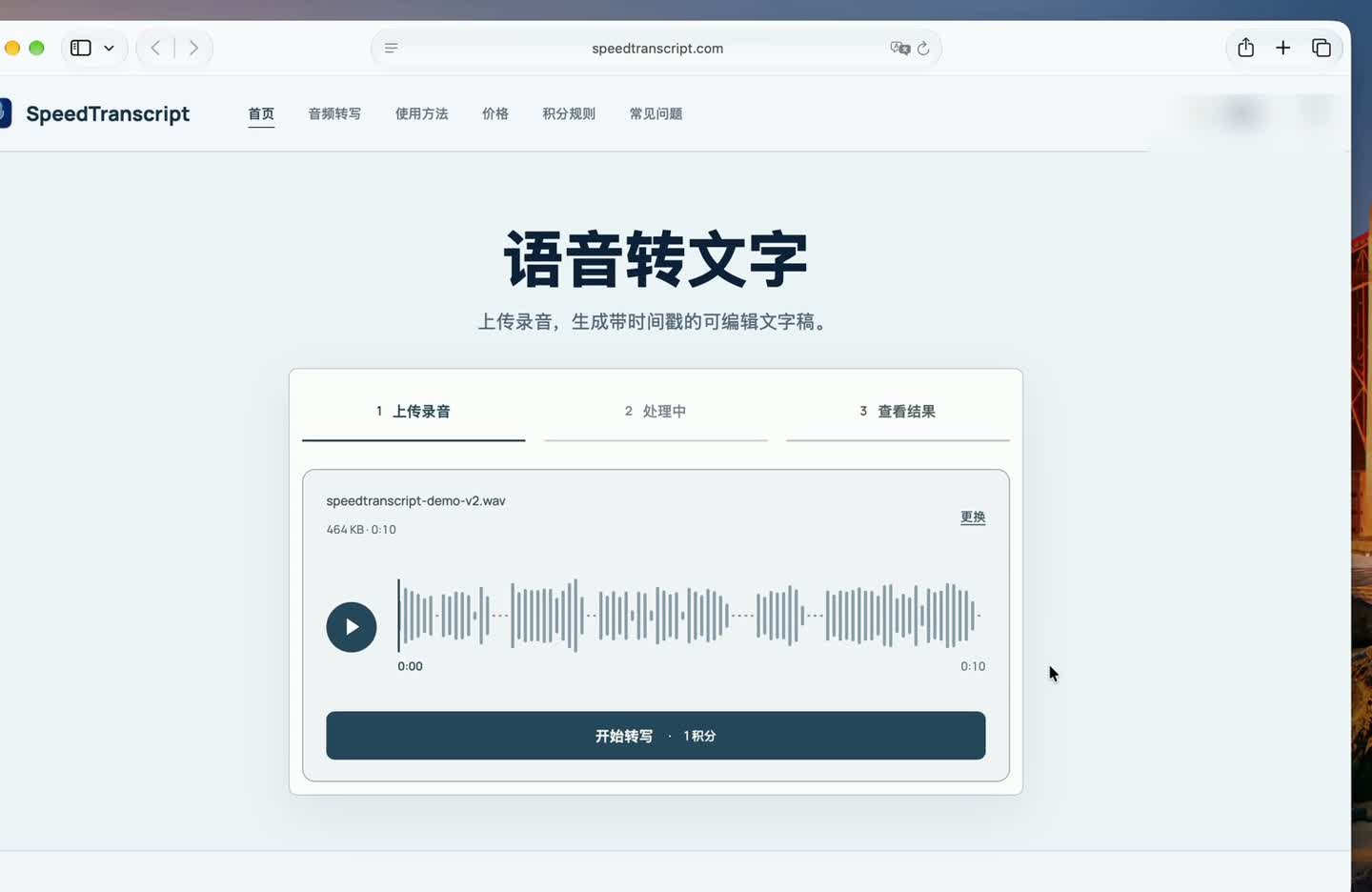
Click “Choose audio file” (选择音频文件) and confirm the recording. Check the file name and the duration shown with the waveform, then click “Start transcription” (开始转写). The waveform is an audio preview. The transcript is ready when the “Your transcript” section appears.
Listen back and correct names and terms
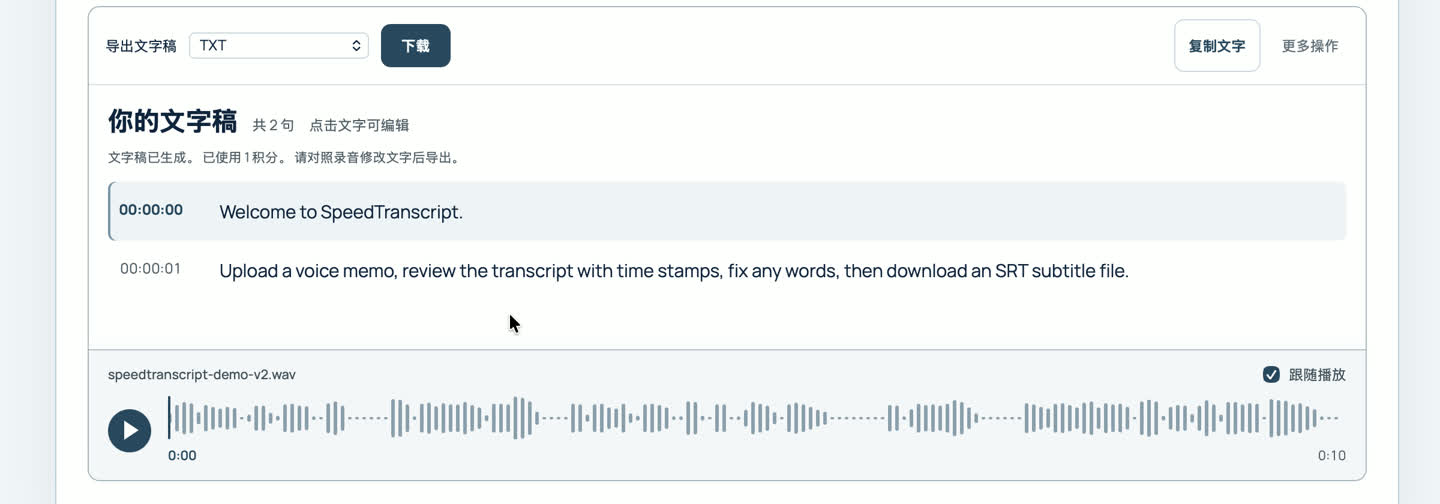
The timestamp next to each line shows where to find it in the audio. For a longer recording, start with names, technical terms, and numbers. A small mistake in any of these can change the meaning of a caption or meeting note.
In the sample, the first line originally said “speed transcript”. Click the line to edit it and change the spelling to “SpeedTranscript”. Use the audio player below the transcript to check any uncertain part against the original.
Export SRT for subtitles or TXT for notes
Set the export format to SRT and click “Download” (下载). An SRT file gives each subtitle a start and end time, which lets a video editor display it at the right moment. Choose TXT if you only need the words for a document or notes.
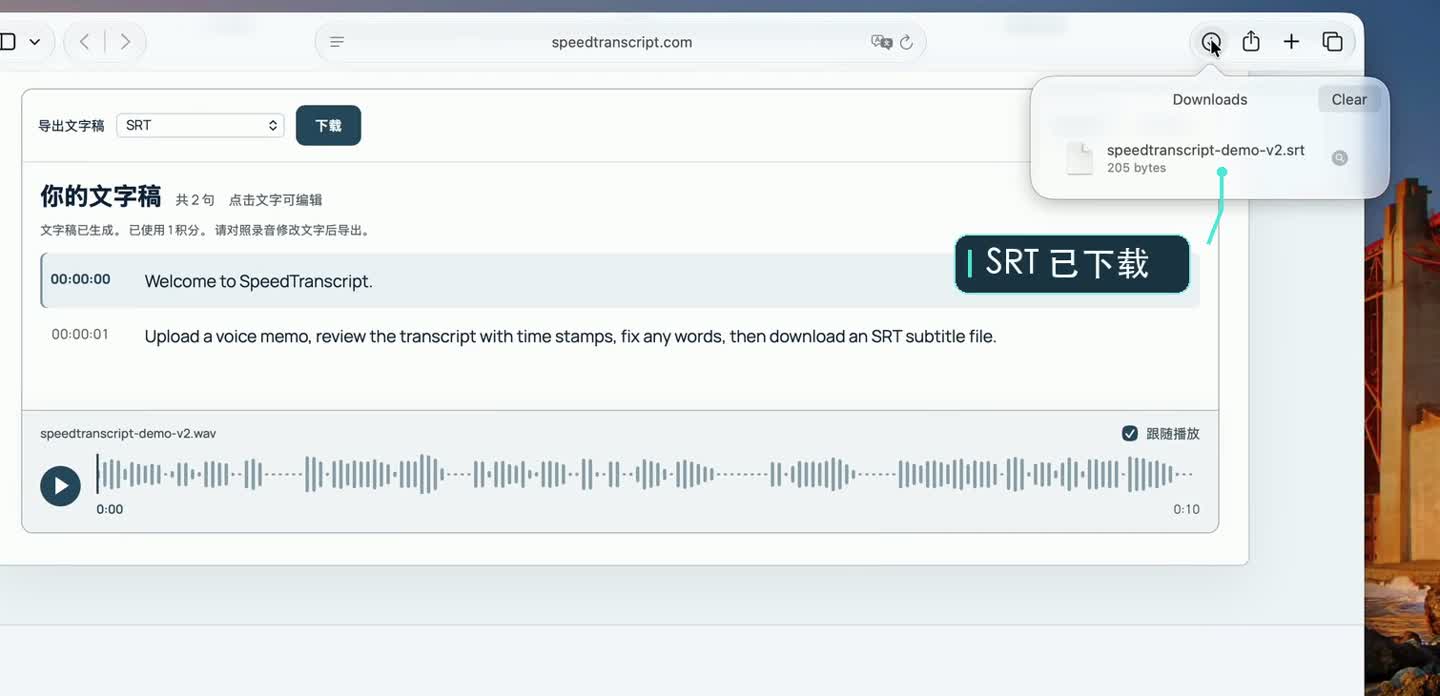
Before handing off the file, open it to check that your edits made it into the export. The sample's first subtitle runs from 00:00:00,000 to 00:00:01,575 and reads “Welcome to SpeedTranscript.”